5 Canva alternatives: choose by workflow

Adobe Express and VistaCreate are direct design alternatives. Visme and Piktochart suit presentations and reports. Vibiz suits creative, pages and paid campaigns.

Updated

What is the best Canva alternative?

Canva alternatives at a glance
ToolBest forStarting priceLaunches adsFree plan
Adobe ExpressAdobe ExpressDesign, video, PDF and socialFreePaid publishing listed; scope variesFree plan
VistaCreateVistaCreateTemplate design and social graphicsFreeNot established in reviewed plansFree Starter
VismeVismePresentations and interactive contentFreeNot established in reviewed plansFree Basic; export restrictions
PiktochartPiktochartReports and infographicsFreeNot established in reviewed plansFree; two PNG downloads
VibizCreative, landing pages and campaign execution together$79 a monthMeta and GoogleNo free plan or trial

The 5 alternatives, one by one

  1. Adobe Express homepage

    1.Adobe ExpressAdobe Express

    Visit site

    Choose it for broad design work and social publishing in an Adobe workflow.

    Focus
    Design, video, PDF and social
    Entry
    Free plan
    Paid ads
    Paid publishing listed; scope varies

    Pros

    • Editable graphic and video design
    • Social and PDF workflows
    • Premium includes 250 generative credits

    Cons

    • Premium adds usage and features
    • Ad-network scope needs a separate check
    • Not a documented full campaign-buying replacement

    Pricing: Free; Premium $9.99/month in US

  2. VistaCreate homepage

    2.VistaCreateVistaCreate

    Visit site

    Choose it for template-based social graphics and a free publishing workflow.

    Focus
    Template design and social graphics
    Entry
    Free Starter
    Paid ads
    Not established in reviewed plans

    Pros

    • Basic brand kit and unlimited downloads
    • Facebook, Instagram and Pinterest publishing
    • Pro adds resizing and team collaboration

    Cons

    • Multiple brand kits require Pro
    • Pro team limited to ten members
    • Native paid launch not established

    Pricing: Free Starter; paid Pro adds brand and team features

  3. Visme homepage

    3.VismeVisme

    Visit site

    Choose it for presentations and interactive information design.

    Focus
    Presentations and interactive content
    Entry
    Free Basic; export restrictions
    Paid ads
    Not established in reviewed plans

    Pros

    • Presentations, charts and interactive content
    • Social scheduler available
    • Paid plans add brand and export tools

    Cons

    • Free account has export restrictions
    • Advanced export depends on tier
    • Native paid launch not established

    Pricing: Free Basic; paid tiers add export and brand features

  4. Piktochart homepage

    4.PiktochartPiktochart

    Visit site

    Choose it when explaining information is the main design task.

    Focus
    Reports and infographics
    Entry
    Free; two PNG downloads
    Paid ads
    Not established in reviewed plans

    Pros

    • Report and infographic design
    • Charts and data visualization
    • Business adds brand and PDF/PPT tools

    Cons

    • Free plan limits downloads
    • Brand Kit requires Business
    • Paid campaign launch not established

    Pricing: Free; paid tiers vary by member and billing term

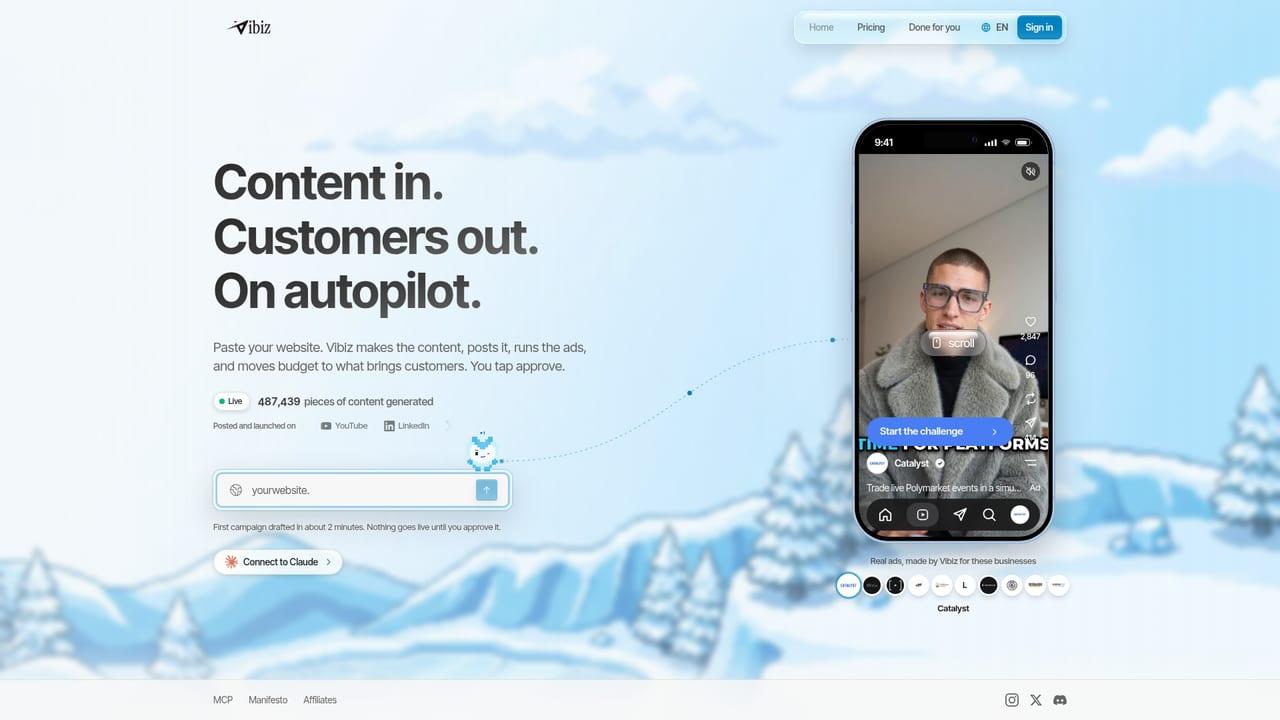
  5. Vibiz homepage

    5.VibizOur product

    Visit site

    Choose it when coordination across creative, pages and launch is the recurring bottleneck.

    Creative
    Image and video
    Destination
    Landing pages and funnels
    Execution
    Meta and Google

    Pros

    • Keep the brief and launch in one workspace
    • Build a destination alongside the creative
    • Publish organic content from the same workspace

    Cons

    • No free subscription plan or trial
    • Ad-spend service fees are additional
    • Broad workflow may exceed a specialist need

    Pricing: Pro: $79 a month; ad-spend fee additional

Choose the kind of replacement first

A Canva replacement usually needs to preserve editable graphics, templates and brand work. That makes Adobe Express and VistaCreate more direct candidates than an avatar-video generator. Visme and Piktochart serve a different but common need: explaining information in presentations, charts, reports and infographics. Vibiz belongs on the list when the goal is to create and operate a marketing campaign, including its destination.

Design and social graphics

Adobe Express combines design, video, PDF and social publishing. Its pricing page also lists paid-ad publishing, but does not establish the full network and optimization scope. VistaCreate's free Starter plan includes downloads, a basic brand kit and publishing to Facebook, Instagram and Pinterest. Its Pro offering adds resizing, multiple brand kits and team collaboration. These are concrete options for someone who wants a familiar design workflow.

Presentations, reports and data

Visme is aimed at presentations and interactive visual content, with a social scheduler available. Its free tier has export restrictions; a free account should not be mistaken for unrestricted downloadable assets. Piktochart focuses on infographics and reports. Its free plan includes two PNG downloads, while brand controls and PDF/PPT export depend on the paid tier. These products make more sense for a report than for managing an ad account.

Campaign execution

Vibiz combines image and video creative, hosted landing pages, checkout, social publishing and Meta or Google campaign launch. It requires a paid workspace subscription. Canva itself now offers paid campaign launch on Meta, TikTok and LinkedIn, so changing tools is not necessary simply to publish an ad. Choose Vibiz when its channels and connected business workflow match the job.

How this list was researched

Capabilities checked against the linked official sources on 22 October 2026. This is a documentation review, not a hands-on performance test. “Unconfirmed” means the reviewed sources do not establish the feature; it does not mean unavailable. Vibiz is our product. These are workflow distinctions, not measured rankings of output quality or return on ad spend.

Read Vibiz vs Canva for the two-product decision. The cards retain each vendor's billing basis; annual commitments, usage allowances and media spend should remain separate in your budget.

Frequently asked questions

Define the missing job first, then compare the same deliverable and revision process. Keep account access and migration effort in the decision.

Sources (14)

  1. 1.Adobe Express pricing (checked 2026-10-22)
  2. 2.VistaCreate Starter (checked 2026-10-22)
  3. 3.VistaCreate plans (checked 2026-10-22)
  4. 4.Visme pricing (checked 2026-10-22)
  5. 5.Visme scheduler (checked 2026-10-22)
  6. 6.Piktochart pricing (checked 2026-10-22)
  7. 7.Canva: help / publish-launch (checked 2026-10-22)
  8. 8.Canva: pricing (checked 2026-10-22)
  9. 9.Canva: product overview (checked 2026-10-22)
  10. 10.Canva: canva-grow (checked 2026-10-22)
  11. 11.Canva: en_in / help / publishing-canva-websites (checked 2026-10-22)
  12. 12.Canva: en_gb / help / content-planner (checked 2026-10-22)
  13. 13.Canva: design-school / resources / paypal-x-canva-design-school (checked 2026-10-22)
  14. 14.Canva plan comparison and US rates (checked 2026-10-22)

This page is informational and reflects our own product and workflow recommendations, not professional or legal advice.

Ready for your next 100 customers?